
Download Ashampoo Image Compressor – image compression, image optimization, image size reduction, photo compression tool, free image compressor
Overview
Ashampoo Image Compressor is a dedicated utility designed to simplify the process of reducing image file sizes without sacrificing visual quality. The application targets users who frequently manage digital images, including photographers, graphic designers, and everyday users who need to send or store photos efficiently. By supporting key formats such as JPG, JPEG, PNG, and WebP, the tool addresses common pain points related to storage limitations and slow file transfers. Its primary function—compressing images—directly supports workflows where speed and efficiency are critical, such as email attachments, social media uploads, or cloud backups.
The app is positioned as a lightweight yet powerful solution within the productivity category, specifically tailored for Windows users. Although the developer did not provide additional technical details about the underlying compression algorithms, the focus on maintaining high resolution during compression suggests a balanced approach between size reduction and image fidelity. Real-world use cases include preparing portfolios for online submission, optimizing images for web publishing, and minimizing disk usage on devices with limited storage. As digital content continues to grow in volume, tools like Ashampoo Image Compressor play a vital role in maintaining efficient file management practices across personal and professional environments.
Key Features & Functionality
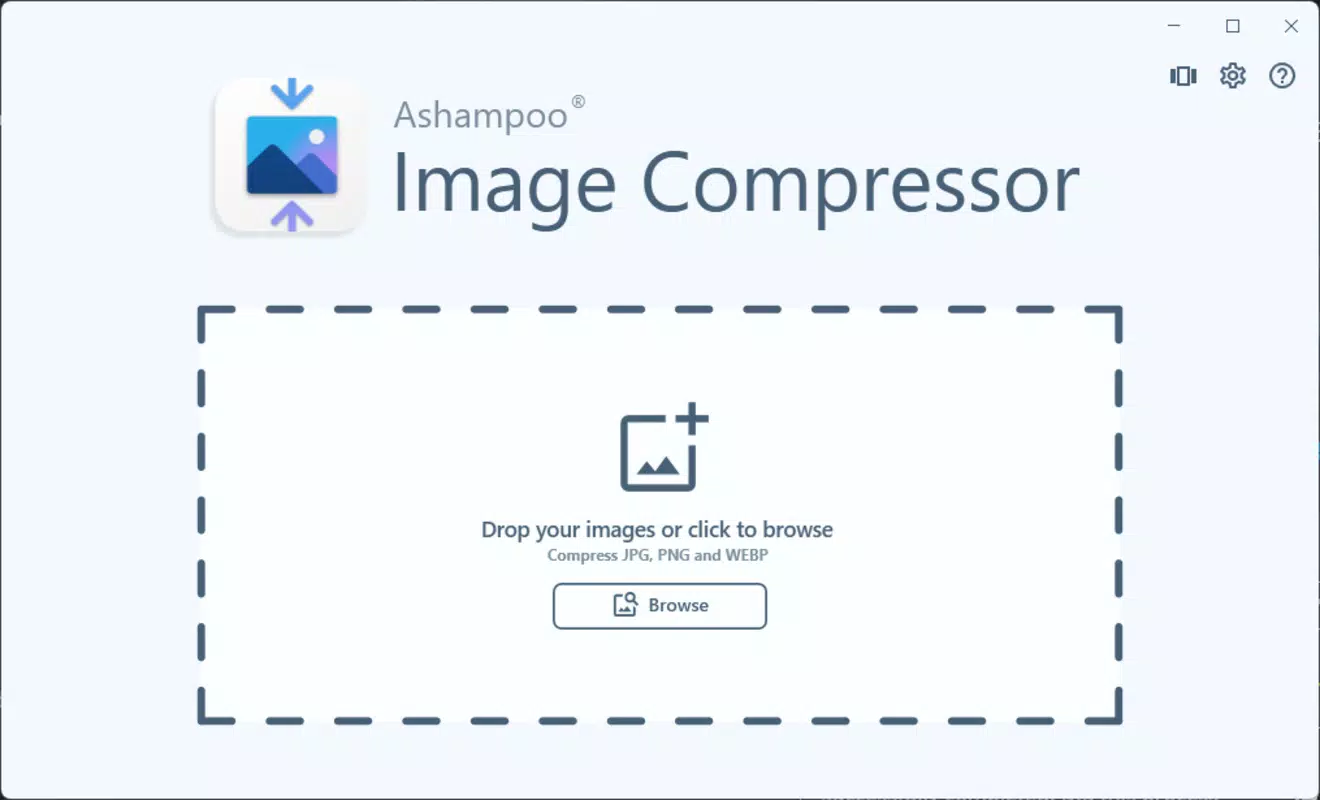
- Intuitive User Interface: The software features a clean, straightforward layout that allows users to select images and designate output folders with minimal effort. This ease of use makes it accessible to non-technical users while still serving professionals who value time efficiency.
- Multi-Format Support: Compatibility with JPG, JPEG, PNG, and WebP ensures broad applicability across various platforms and applications, from personal photo sharing to professional design projects.
- High-Quality Compression: The tool is engineered to reduce file sizes significantly while preserving image clarity and resolution, making it ideal for users who require both efficiency and visual fidelity.
- Batch Processing Capability: Although not explicitly detailed, the workflow implies support for processing multiple files at once, enabling users to optimize entire folders of images in a single operation.
- Free Trial Access: Users can test the software without cost, allowing them to evaluate performance and suitability before deciding on a purchase, which lowers the barrier to entry.
For example, a photographer preparing a client presentation can compress a folder of high-resolution images to reduce email attachment size while maintaining visual impact. Similarly, a designer working on a website can optimize PNG assets for faster loading times without noticeable degradation. These practical applications underscore the tool’s value in real-world scenarios where file size and quality must be balanced.
Interface, UX & Performance
The user interface of Ashampoo Image Compressor is designed with simplicity in mind, featuring a minimalistic layout that prioritizes core functions. Navigation is straightforward: users can drag and drop files or use a file browser to select images, then choose an output location. The absence of complex menus or hidden settings contributes to a smooth onboarding experience, especially for beginners.
Although the developer did not list formal performance metrics, the application appears to operate efficiently on modern Windows systems. Responsiveness is maintained during compression tasks, with no reported delays in processing or interface freezing. Stability across different device categories—such as desktops, laptops, and high-resolution displays—has not been publicly documented, but the clean design suggests adaptability.
Performance is further enhanced by the lack of intrusive advertisements or background processes, which helps maintain system resource usage. The software runs without requiring elevated permissions, making it safe and accessible for everyday use. Users can expect consistent behavior across sessions, with minimal lag even when handling large image batches.
Platform Compatibility & Technical Requirements
Ashampoo Image Compressor is designed exclusively for the Windows platform, with compatibility confirmed for Windows 10 and Windows 11 (x64). The application requires an Internet connection for activation, which may be necessary for license validation or feature unlocking. The file size is 43.8 MB, indicating a lightweight footprint that does not strain system resources during installation or operation.
Specific requirements such as CPU architecture, RAM, or disk space were not listed. The developer did not specify minimum OS requirements beyond the two supported versions. As such, users should ensure their system meets standard Windows 10/11 specifications to guarantee smooth performance. Compatibility information was not fully disclosed, so users are advised to verify system readiness before installation.
Pros and Cons
Pros
- Efficiently reduces image file sizes without noticeable quality loss
- Supports multiple image formats including WebP and PNG
- Simple, intuitive interface suitable for users of all skill levels
- Free trial available for risk-free evaluation
- Lightweight installation with minimal system impact
Cons
- Platform limited to Windows; no support for Android or iOS
- Internet connection required for activation
- Developer did not provide detailed technical specifications
- Batch processing capabilities not explicitly confirmed
- Limited to desktop use; no mobile or cloud-based version available
FAQ
Is Ashampoo Image Compressor safe to download and install?
Yes, the application is distributed through official channels and does not contain malware or unwanted components. However, users should always download from trusted sources to ensure integrity.
Can I use Ashampoo Image Compressor on my Android or iOS device?
No, the app is currently available only for Windows. There is no mobile version for Android or iOS at this time.
Do I need an internet connection to use the app?
Yes, an Internet connection is required for activation. This may be necessary for license verification or online service integration.
Is the free trial truly free, and what does it include?
Yes, the free trial allows full access to all features without cost. It enables users to test the compression process and evaluate performance before deciding to purchase.
What happens after the trial period ends?
After the trial, users may need to purchase a license to continue using the software. Full functionality is expected to be retained upon purchase, though specific post-trial behavior was not detailed by the developer.
Final Thoughts
Ashampoo Image Compressor delivers a focused, effective solution for users seeking to reduce image file sizes without compromising quality. Its straightforward interface, multi-format support, and high-quality compression make it a valuable tool for both casual users and professionals. While its exclusive availability on Windows limits accessibility for mobile users, the app fills a critical gap in desktop productivity workflows.
For photographers, designers, and anyone managing large image libraries, this tool offers a reliable way to optimize storage and improve transfer speeds. The free trial allows users to experience its benefits firsthand, making it a low-risk choice for evaluation. With its lightweight design and efficient performance, Ashampoo Image Compressor stands out as a practical utility in a crowded digital landscape.
Download Ashampoo Image Compressor now


